
iPad Review, Part III: Third Party Apps (Games)
When you first get your hands on an iPad, you check out the look & feel of the device. How much does it weigh? How do I hold it? Is the screen really that reflective and smudgy? Where are the buttons and how do I use them? You turn it on, and immediately, of course, swipe forward and back to whatever screens there are. You try opening an app or two. You just get the feel of the device. I see this all the time when I hand over my iPad to people so they can check it out.
If it’s your iPad, the next thing you do is check out the apps that come with the device. How are iCal and Contacts different? How do Safari and Maps compare with the versions on my iPhone? Does Mail still suck just as much? What do videos look like on this thing? Can I access the stores, and what do they look like? You’ll spend a little time setting up things the way you like them in Settings. The apps Apple gives you are handy, but not all that engrossing. You can probably play with Maps for a while, do some browsing on Safari, and set up your email accounts, but soon you run out of stuff you want to do, and are hungry for more.
That’s when the third-party apps come in, and that’s where the iPad really begins to shine. You start getting the same range and versatility that you expect from a computer, and you start seeing more of what the iPad can do.
The problem with writing a review on third party apps is that everyone’s apps will be different. The number, variety, and choices of apps are perhaps so unique as to be equivalent to fingerprints. Nobody will agree completely on what apps are good, or even worth a free download and a space on the iPad’s real estate. You may prefer more games, whereas I might focus on utilities; you may be willing to spend a lot on a good app, where I might prefer to do with less for cheap; I might love this note-taking app, whereas you might hate it. So the following should be taken as more of a sharing of apps I enjoy and think you might have a chance of liking as well.
Games
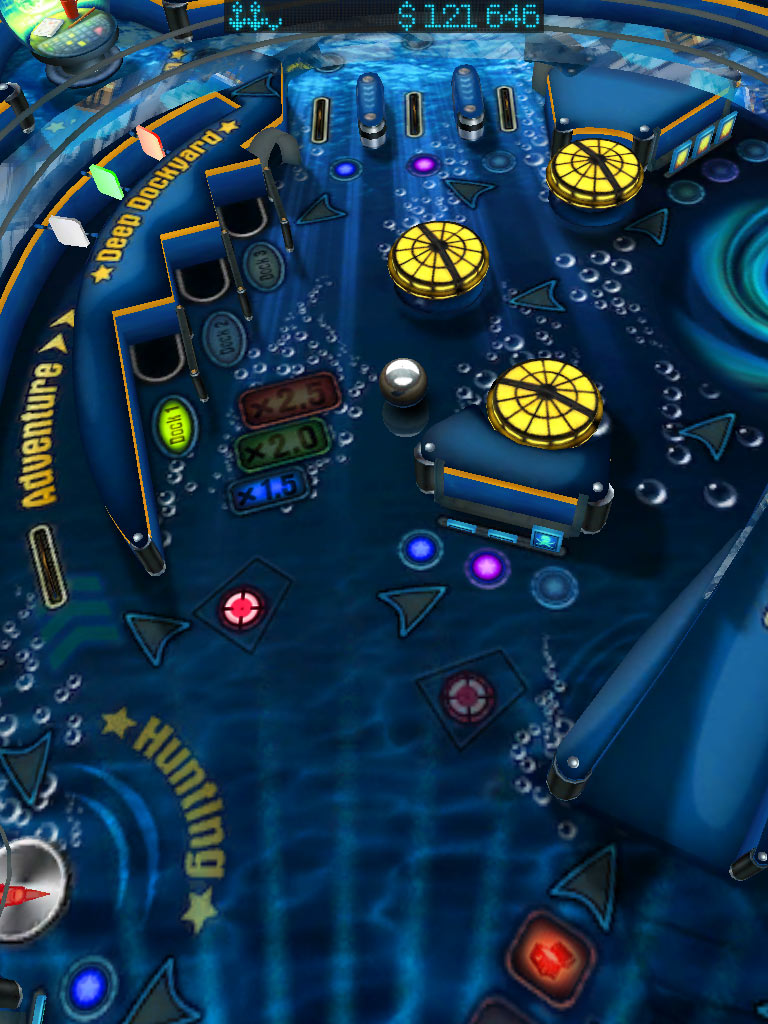
 One game that almost everybody agrees is a good one is Pinball HD. For $3, you get three pinball tables–but much more significant is the quality of the graphics. If for nothing else, this game is good for showing off what the iPad can do. But you’ll probably enjoy the pinball games even better, like I do. The tables are very realistic, as are the physics and playing. You really feel like it’s a pinball game. There are two viewing modes–full-screen and fly-over. Fly-over gives a much closer look and appreciation for detail, but it’s hard to get used to, and the zoom often deprives you of certain information, like what lights are lit for you to aim at. I much prefer the full-screen view, and with the latest version, you can get full-screen view in portrait mode, which even provides a cool tilting effect when you move the iPad around. The controls are simple–just tap almost anywhere on the left and right sides to use the flippers.
The game does have a few bugs. At first, I experienced a time lag with the flippers (also reported by other users), which ruined the game play–but that disappeared and has not recurred since. Sometimes a flipper will go when you don’t want it to, or stick in the up position at a critical time, which can be annoying as hell. The ball plunger needs adjustment–it’s often difficult to “grab,” and will sometimes only work if you touch it off to a side. There’s no reason the plunger’s “grab” area shouldn’t be a lot bigger. The score boards are not a big hassle, but it would be nice to be able to turn them off–and I have noticed that most of my scores are not staying over time. Finally, while the games you can play are good, I find myself wanting the ability to adjust the parameters. For example, changing the gravity or power of the bumpers, or being able to increase the frequency or number of balls for multi-ball play (“The Deep” board, for example, does not go multi-ball often, and then only with 2 balls, unless you can trigger a subsequent multi-ball).
You can even play the game in 3-D (go to the Settings app to change it)–but it didn’t work well at all for me, at least not with the cheap cardboard 3-D glasses I had on hand. The separate colors appeared too far apart, and all I got was disoriented. Much more fun just plain.
Click on screengrabs for full-sized versions.

 From these reviews, you’ll quickly see that I’m not a big RPG player, or a big game player at all. The next app is a simple Solitaire game. Despite the sheer number of solitaire games on the app store, it’s surprising how hard it is to find a good one. Solitaire City Lite, for example, looks really good–but is ad-laden and only offers double Klondike, not the standard game–you have to shell out six bucks for the full version. A free game called “The Solitaire” is passable, but is not the best. My favorite is actually a paid app, but only a dollar: Plain Old Solitaire HD, made by the same people who make an excellent free Klondike game for the iPhone. POS HD (unfortunate initials) has good graphics and gameplay. Although a few things are not as I like them (you can’t move Aces once placed, for example), generally they get the game more right than any other developer, for a reasonable price.

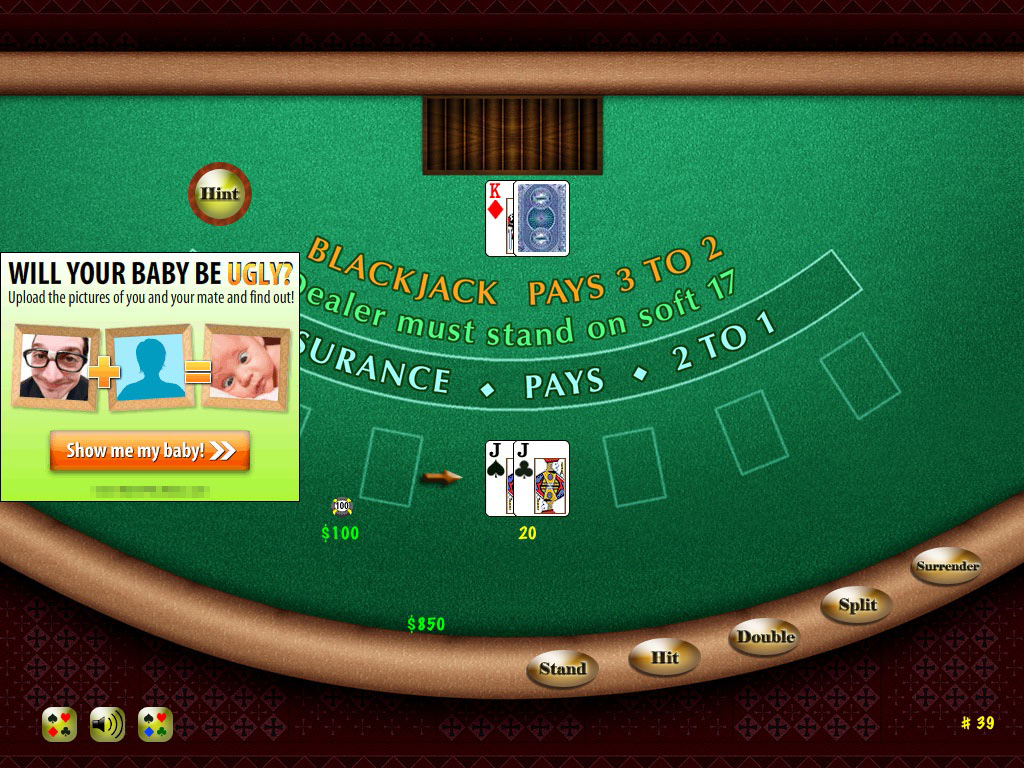
 While we’re on card games, why not whine a little about blackjack games. It should be simpler than solitaire to create, but it’s as if this game gives deveopers the impression that it has to be charged for if it’s halfway decent. Not that I can really complain–a free app is a gift (a gift with ads), not a right–but you’ll find most other simple games free more often than blackjack or poker. The best blackjack game I could find for free was Blackjack Lite for iPad. The graphics are almost too simple, the animations are poorly timed, it lacks an indicator to show the count of your cards–but it works, is free, and the ads are not intrusive. A different app, Blackjack Free HD (see lower image below), had such an annoyingly intrusive ad–one that covered a large portion of the card table, while the actual cards looked tiny–that everyone gave it low ratings for that despite the relatively good gameplay, so much so that the developer quickly switched to banner ads (I haven’t tried the updated version yet, though).

How not to do ads:
 Neither of those card games are ones I play all the time though. Instead, I found an unexpected game to be too much fun to pass up: 10 Pin Shuffle HD Lite. A strange combination of shuffleboard, bowling, and poker–but it works. You play on a shuffleboard table and shoot off pucks toward a set of bowling pins. If you get a spare, you are dealt a single card; if you get a strike, two cards. If you have five cards when scoring, then you can choose one or two to throw out and replace with new cards (or you can hold what you’ve got). By the end of the game, your poker hand is used to score your effort. The graphics are very good, though the physics are a bit exaggerated and often wonky, but that’s not a big deal. You can set the game to “easy” (the puck goes more or less straight) or “hard” (it easily strays off target). You can change perspective, though I have yet to figure out how to do that and not get an unintended gutter-puck. If you have four cards and get a strike, you get only one card. But mostly it is enjoyable. There is a banner ad which is easy to ignore during game play, and each game you must navigate four menus filled with prompts to buy and must shift hand position to avoid hitting the purchase link. Still, it’s a worthwhile free app. I’d get the full version, except that it has way too much that I don’t really want, for $4.

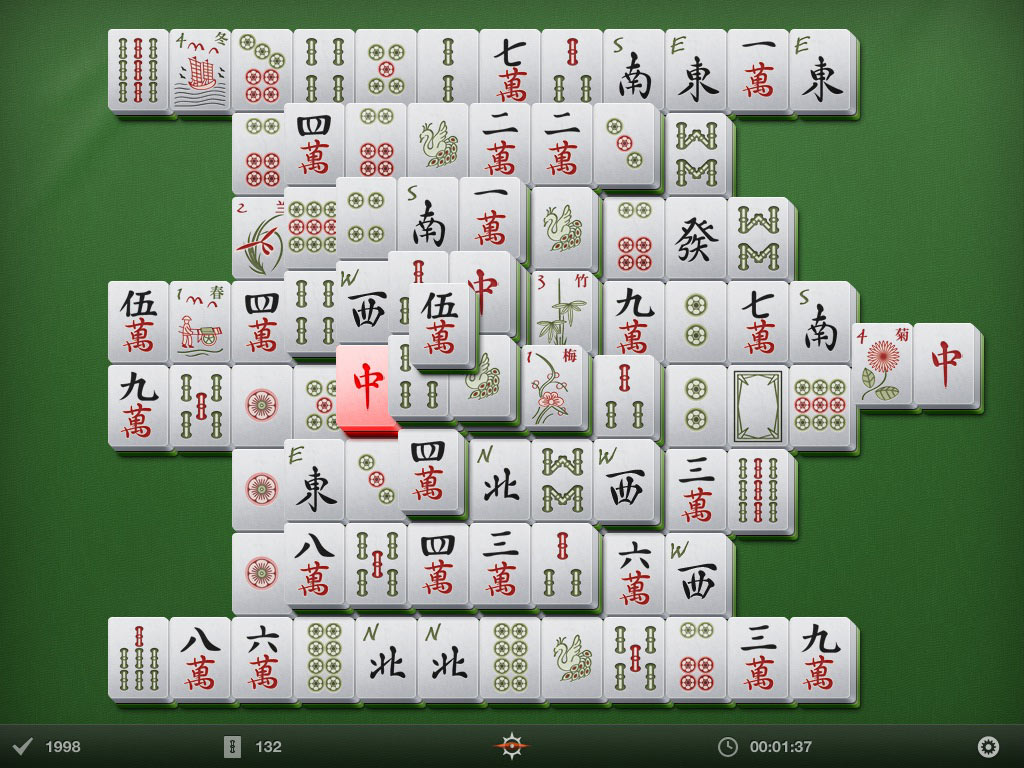
 I also like Shanghai games, and again, there are many, but most don’t get it right. I haven’t found the perfect one yet, but there’s one that comes pretty close: Shanghai Mahjong. The tiles are nice and you can download different skins. I tried the free version and liked it enough to pay the obligatory dollar for the full game.
The graphics are well done, and the tiles look nice–though I prefer more of a color differentiation to help identify pairs. The animations are subtle enough not to distract. Overall a very nice game for a dollar.

 As an example, let me show you an iPhone game which looks decent on the iPad. Many don’t, but Lux Touch, a variation of Risk, looks good enough–and even performs better, with more space to tap, which the game requires a lot of. If you like Risk, then you’ll probably want to get this one–it’s free, and entertaining enough. If you love Risk a lot, then the paid version–more customizable and with lots of different maps–will set you back $5, is also an iPhone-sized app, and I don’t know what it looks like on the iPad. Note, BTW, how the icon for iPhone-Lux is slightly lower-res than the other, iPad-native icons.

For comparison, this is what the app looks like at iPhone size on the iPad:

Of course, I am not going into any of the really heavily graphic-dependent games here, but they are around. I’m just not that big a game player. But one example of what you can get is the free lite version of Star Pagga, a game where you use the iPad’s accelerometer to steer the ship. Looks very nice.

 Finally, there’s a simple “game” for the iPhone which many people like, called Koi Pond. That’s not available for the iPad, but there’s a clone called Pocket Pond. It’s scaled for the iPad and has most of the same features, though is really a lite version and so lacks some settings that Koi Pond has–but Pocket Pond is free, which makes up for that.
In Pocket Pond, you have the pond, the nice carp, the ability to splash and scare the fish. It’s easy to miss the button for lily pads and dragonflies, as it is a semi-transparent “+” sign, and you may overlook it after you fine the “i” sign (which mostly is an ad for the paid version). But you can add any of three different lily pads. The dragonflies will literally fly off the side menu when you tap them, and buzz around until you tap them dead–whereupon they float on top of the water and act as fish food. A cute little app.

A close-up of a living dragonfly, before swatted; sometimes they can buzz quite “high” and appear large to you.

Total cost for the apps shown in boldface: $4.95.
Next part of the review: networking apps.