
More Free Mac Apps
Let’s look at a few Safari add-ons this time. By itself, Safari is a good browser, but has very large, gaping holes in its features. For example, being unable to shut down flash animations or animated gifs; that’s a deal-stopper for me right there. Fortunately, there are two very powerful helper apps available for Safari.
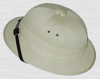 The first is PithHelmet. Described on its site as “an ad blocker for Safari,” it does much more than just that. But in that primary role, it does a great job. Just install PithHelmet, and pretty much all of those annoying, flashing, jumping ads simply evaporate. You can go with just that, or you can delve into the PithHelmet menu or preferences and start really controlling how your web sites appear. The add-on will allow you to set very specific preferences for each and every site that you visit. For example, if you want Flash on by default but one site you enjoy annoys you with non-advertising flash animations (ads will be blocked anyway), then you can turn Flash off for that site only. Or the reverse–if you have animated images turned off by default but you want to see them move on this or that particular site, PithHelmet allows that. In fact, each site can be customized by a few dozen settings. PithHelmet is $10 shareware, but you can use it for free by clicking “I paid” in the preference pane. I paid for it, it’s such a good add-on.
 The second app, which I just recently found, is SafariStand (why these guys can’t put spaces between the two words of the app names I don’t know). SafariStand also has a good number of features. The two I use most are the ability to make “open in new window” links open to a new tab instead, and the ability to remember all the web pages you had open when Safari unexpectedly quits (something which happens more than I’d like). One feature I don’t use but is often cited as cool is the ability of SafariStand to create a sidebar with thumbnails of all the pages you have open; it acts like a graphic tab bar, and allows you to switch to or close any tab open in the window. SafariStand also has powerful search tools for your bookmarks, surfing history, and html documents on your computer. It also adds some extra preferences, like killing gif animations. You can even use the period and comma to toggle through your open tabs–but only if keyboard actions are not pointed at the address bar or some open text area. More is explained in these reviews here and here. SafariStand is free.
Both of these add-ons used the SIMBL method. Install PithHelmet first, and it’ll install SIMBL for you. That might make installing SafariStand easier.
For more on pimping up of your Safari, visit the appropriately-named Pimp My Safari.
I know that some of you will say that Firefox does most or all of this and does it better, and so on. Maybe so, but I did try Firefox, several times, using the extensions people pointed to and whatever else I could find on the Mozilla site, but in the end, it just didn’t suit me right, and there were too many problems. With Safari, the interface is just how I like it, and with these two simple add-ons, I can get all the alterations I want or need… for the moment.