
Free iPhone Apps: Review
I haven’t downloaded and tried out everything, but I have had a fair sampling, and these are some of my impressions:
 Ekitan (Japan only) is a great train app, like Yahoo Transit: give the name of train stations (helpfully, it remembers the stations you’ve entered, though you can’t delete stations you don’t need anymore) you are going to and from, and it tells you the times, transfers, and costs to get there. I can’t remember how many times I wanted to access this on the fly after having left home, it’s a great app to have in Japan, perfect for the mobile phone.
Just two caveats: one, it’s Japanese-only, at least for now; I am sure an English version will come out soon (though you can look up names easily if you know hiragana); and two, it does not know current transit data. When I used it yesterday, it gave me the correct published data–except there was an accident on one line that affected the others I needed to take, and so it proved a little useless except for making me aware of the potential routes and costs–which was still pretty nice to know. (Late note: I can’t seem to find Ekitan on the App Store, either Japan or U.S.–it seems to have been pulled down for some reason! Copyright infringement?)


There are some nice games available; one is Morocco, a Reversi/Othello game. Simple, but well-executed. Similarly well-done is the more directly-named Othello, with a different theme but is nevertheless the same game.


 Even better in some ways is Moonlight Mahjong Lite; for those of you who like Shanghai, the game where you remove mahjong tiles which match from the edges of a stacked pile, this is a pretty good one, especially for the free price. It allows you to freely resize the tile pile and re-orient to different 3-D angles–very nicely done! One nit: the small size of the screen makes it hard to hit the right tile sometimes, and the way the game is set up, a previously chosen tile automatically de-selects if you don’t hit the second tile spot-on. Which means you have to make two difficult selections in a row in order for it to work. Hopefully, in a future update, they’ll make it so that a mis-selection will not de-select the first tile. Other than that, this is an incredibly nice game.


A company called “Jirbo” has released a bunch of little games, including a nice little “Concentration” style game called “Jirbo Match.” Can keep you occupied for a bit; I’ll have to check out their other free stuff.


 Among fun-for-a-while gag games: PhoneSaber, which turns your iPhone into a buzzing and clashing lightsaber; Alarm Free, which is nothing but a fire-alarm-style lamp which flashes and buzzes if the iPhone is shaken, dropped, or jostled; iPint, which gives you a fun little beer-sliding-down-the-counter game before the great gag of “pouring” you a “beer” which you can then “drink” to the delight of onlookers; and Rotary Dialer, which gives you an old-fashioned interface for calling someone–giving the word “dial a number” back it’s true meaning, although it lacks the essential clicking noise for some reason.


 Midomi is a cool app which allows you to find music by humming, speaking the title, or holding the iPhone up to a radio or TV which is playing the music. Frankly, I was very surprised at how good it was, especially with hummed or (badly!) sung music; I was just as surprised when it failed half the time to identify music played directly from my iTunes library. For example, I tried to get it to recognize Weird Al’s “Don’t Download This Song,” and after repeated attempts it failed–but then I sang the chorus myself, and it instantly recognized the song. After finding the music (orchestral music also recognized), you can then either jump to YouTube videos featuring the music, or go to the iTunes Store and buy it. Way cool.

One of the most annoying things about certain “free” apps is the hidden application process that you don’t find out about until you get to the point of actually using the app. Many of these require services which demand you start an account, and some go beyond the simple send-us-and-verify-your-email-so-we-can-spam-you-to-death process. I just tried to download something called “Jott” which sounded promising: speak into your iPhone and it’ll transcribe your voice into text notes. Cool! So I download it, and it requires an account (why, if all it does is transcribe?). The fields cannot be filled in the iPhone app, so I go online. Just give us your email address! And your phone number! And your ZIP code! None of this is for spam marketing, trust us, even though it has nothing whatsoever to do with the service we’re claiming to sell you! Never mind that small print which says we share your data with 3rd parties and send you “relevant” advertising! Read our privacy policy, which swears we’ll keep your information private–just between us, you, and the spammers, we promise!
But then it goes further–after going through the whole validate-your-email garbage, it then requires you to call them up. Undoubtedly so they can verify that the phone number you gave them (US numbers only allowed) is real. And we promise you it’s nothing to do with spamming you by phone either!
What a crock. I am so glad that I gave them fake data, having figured out the scam afterwards.
 Another speech-oriented app, however, is a much better deal: SpeechCloud Voice Dialer. This app allows you to hold down a button and speak a name; it then finds the name in your phone book and allows you to call it. It’s a cool app, except for one thing: it doesn’t really save you time. By the time I have held down the button, spoken the name, and waited for the recognition to work, I probably could have found the name just as quickly in the Contacts list. So this one is more for the fun factor than it is for actual productivity, unless (a) you hate finding contacts in the standard list, or (b) you have so many contacts that just finding one specific name is too time-consuming.

You should also be cautious of apps which cost money but which have a free counterpart. iBeer, for example, seems to be just like iPint, except that (a) it lacks the slide-the-beer-down-the-bar game, and (2) it costs $3. How lame is that? And yet, there are people who are claiming that it’s better because the foam and bubbles seem more “natural.” Bah. iPint works just fine. But if you want to pay $3 to see more realistic bubbles, then buy an actual beer–and you’ll still have enough money left over to buy me one, too.
Apps I’ve tried which did not impress me: Banner Free, like most apps I have eventually trashed, is fun for about half a minute, then you grow tired of it. Lots of stuff like that in the Free section. Bubble Wrap is not even as fun as it sounds. Plus, it seemed to play inconsistently. Spinner struck me as a game too hard and uninteresting to bother with.
And then, some seem just completely useless. Why have an app that spells out numbers longhand, especially if you can’t even copy and paste the result? Are there really people who don’t know how to spell numbers? Hell, even Flashlight–essentially just a white screen–is at least more useful. Another example of an inanely pointless app is “Yes|No,” which does exactly what the title implies, and no more. It is not even a Magic 8-Ball.
More reviews to come, for certain.

 I’ve had a bit more time to play around with the iPhone, and I have both positive and negative impressions to report. Overall, the impressions are positive, because I very much like this little machine–even though I am still in the process of getting set up and used to stuff. I just need more time to enjoy it fully, is all. I’d start taking the train as a way of having time to watch videos and stuff, except that where I’m located, the train trip wouldn’t take long enough! It’s also a temptation to use it more often, to make calls and get calls.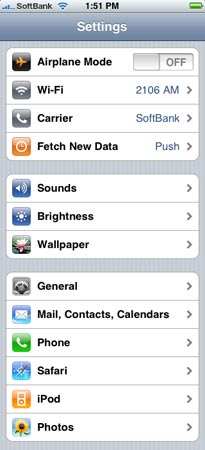
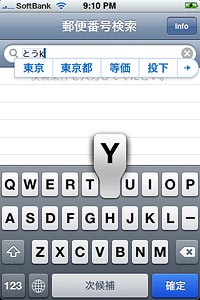 Features you may not have known about: double-clicking the Home button can take you to Phone Favorites or the iPod controls (you can set that under Settings/General/Home Button). Holding down the Home button and the Sleep/Wake button at the same time will take a screen shot of your iPhone and save it to your Photos area. When typing, double-tapping the space bar will type a period and a space.
 Let me depart from my narrative here and give a quick set of impressions. From the rather shoddy-looking artwork to the right, you can see the difference between my new iPhone and my old PHS. Sorry for the poor image, but it’s late and I’ve been too busy to really work up a nice graphic. The iPhone is a lot wider and flatter than a standard cell phone; it comes across as solid and slick. Of course, all I have to compare it with is my 5-year-old piece of crap PHS, next to which it appears almost magical.