It’s Time, For Some Campaignin’

July 17th, 2008 1 comment

JibJab has outdone themselves. This may not be their funniest (though it is pretty damned funny), but they have turned the Flash video into something of an art form. The musical number s flawlessly performed, and by the time you get to the part where people are marching to the ritual performed every four years, you get the sense of real artwork being performed.

Others you have probably seen over the past few years but may want to rewatch: 2-0-5, Big Box Mart, Nucking Futs, This Land, and Second Term.

Categories: The Lighter Side Tags: by

Splog? Obnoxious Google-Juice-Seeking Blogger? Or Is There Much of a Difference?

July 17th, 2008 3 comments

I got another of what sometimes comes around to the blog: a kind-of-spammy comment. Not the usual hundred links to pharma or fake-Rolex wares, not a generic “your blog is the best!” sycophantic fake post just to link to a site that sells such stuff–but instead a comment posted by someone who would appear to be a real blogger–except that the comment was slightly off-topic. It was about the iPhone, but was a rant against AT&T and Apple, in a blog post about iPhone hype in Japan, pre-iPhone release.

That kind of not-quite-right comment sets off alarms for me, and I checked it out by Googling a string of text from the comment–and lo, he had dropped the exact same comment, word for word, into at least 16 blogs–at least, those were the blogs that posted his comment. Who knows how many more blogs, like this one, saw through the comment and tossed it.

Seeing the guy’s blog made me wonder–was he a real blogger? Was he a spammer? He was not an obvious splogger, as his posts seem to be original, as opposed to copied from existing blogs; at first glance his blog just seems to be a normal opinion blog, and for all I know, it actually is. But a closer look revealed one section–titled “How To”–which featured all the classic spam links: weight loss, texas holdem, the works.

Is this the new face of spamming? Do they hire people now to front blogs with original content, who try to fake people into approving their content, allowing their mass comments, accruing Google Juice, only to act as a false front for the worst of the spammers?

It’s an evolving world, and god forbid, this could be the future–spammers slipping in under the radar, offering easy cash to sell-out shills who write new content so they can make a few bucks on the side, with the ultimate goal being to fool honest bloggers and steal from them the Search Engine credibility which is now becoming harder and harder to get through more obvious means.

This guy “Pete” (if that is his real name–I would be too ashamed to use mine, if I were him) is worse than the spammers: he fronts for them, offers them a veneer of reality they never deserved, all for a few bucks on the side. The new Quisling of the blogosphere.

Did I mention that I detest anything related to spamming? (No? Hmm, how could I have missed that?)

Categories: BlogTech Tags: by

iPhone Tricks

July 16th, 2008 Comments off

I thought I might try to compile a list of nice iPhone tricks, ones that many people might not be aware of.

Surprisingly, a lot of the best and most productive tips are not really spelled out too well for most people. Many of these are almost automatic with the predictive correction, but you should be aware of them to make the best use of them.

• When people say “trust the iPhone’s keyboard,” they mean that you should not concern yourself with the typos that you are aware you are making, nor should you be constantly checking what you typed for mistakes. There is an urge born of habit which makes you stop typing and want to backtrack once you realize you made a error; the iPhone’s corrective typing makes this unnecessary almost all of the time. For example, I tried to type “mysterious” using the iPhone keypad, and instead typed “musteripua.” After typing that initual “u” instead of the “y” I had the urge to go back and retype it. Instead, I plodded on and made more errors–but when I finished, the iPhone was ready to swap my abomination of typing with the word I wanted–“mysterious.” So don’t constantly fret over typos, just barge on forward, and the few mistakes you do make can easily be corrected later on review; do things this way and you’ll be typing a lot faster. It also allows you to do broad-surface thumb typing.

• Be mindful of the predictive correction’s interface–you may have the urge to tap the correct spelling which pops up under the word you’re typing. Don’t do it–tapping the correction will make it go away. To accept a correction, just hit “space.” If a correction pops up before you’re finished typing, hit the space bar early, and it’ll pop into place.

• Don’t worry about capitalizing the names of days, months, the pronoun “I” or the first word in a sentence–these happen automatically. Auto capitalization sometimes happens with proper nouns, but that is spotty at best, and works bet with names you use often.

• Don’t try to type apostrophes, these are almost always added in automatically.

• When ending a sentence with a period, just tap the space bar twice; it’ll type a period and a space for you.


But here are some keyboard tricks you might not have known about:

• Instead of tapping the “123” button, typing punctuation, and then typing either the “ABC” or the “space” bar to get back to letters again, just do a swipe. Start with your finger on the “123” button, but don’t lift your finger; the keyboard will change. Then drag your finger to the right button; the pop-up key tab for the button will show. Then let go. The punctuation you wanted will appear, and you’ll be popped right back into the letter keyboard again. With practice, this can be a fast swiping move.

• When typing a URL, you can see the “.com” button at the bottom of the screen. Hold it down, and “.net”, “.edu”, and “.org” will also be available. The same is available in Mail when you hold down the “.” (period) button.

• To get extra characters, you should activate the Japanese “Kana” keyboard. Go to the Settings app, tap on “General,” then “Keyboard,” then “International Keyboards”; scroll down to “Japanese” and tap on it, then switch “Kana” on. Next, when you are typing, tap the ‘globe’ key, and cycle through your keyboards until you get to the Kana keyboard; it should look like a telephone keypad, except with Japanese hiragana character on it. On the left, tap the “ABC” button, then tap the same button again (it should now say “[star]123”. Note the special symbols under each number. Tap any number key more than once to get the special symbols; wait after you tap for a submenu to appear with alternate symbols.


Here are some general iPhone tricks you may not have known about:

• Holding down the Home button for about 6 seconds will force-quit an app.

• Holding down the Home and Sleep/Wake button for about 10 seconds will force-shut down your iPhone.

• Quickly pressing the Home and Sleep buttons together will take a screen grab of what’s currently showing on your iPhone and save it as a PNG file in your photos area, which you can then download to your computer.

• If you have credit cards with billing addresses in more than one country, you can download apps and music from the iTunes Store (which contains the App Store) in different locales. I have cards in the U.S. and in Japan, so I can access both countries’ stores. This functionality can extend to the iPhone, but you can’t switch stores unless you do it through iTunes. To make your iPhone recognize a different iTunes Store, just set iTunes on your main computer to the right country, log in, then sync with your iPhone. The iPhone will switch to the country you set on your computer, and draw from that account.

• In the iPod, you may want to skip forward or back only a few seconds, something which is difficult if you use the slider bar at the top. But if you hold down on the “skip” buttons (the ones on either side of the play/pause button in the controls, which look like |<< and >>|) then it will skip forward slowly.

• Volume control takes getting used to. You may think that you turned the volume all the way up, but sometimes the volume settings change between different apps, like the iPod and the phone. In at least once case, I noticed that I could max the volume by both using the on-screen volume slider and the physical volume buttons o the side of the phone.

• Japan only: SMS info: on the White Plan, you get unlimited SMS messages, but due to Japan’s SMS system, SoftBank cannot exchange SMS with DoCoMo or Au phones. Go figure. This is not really a trick, but it is a tip of sorts.


That’s all for now, but I’ll be back with more later, if and when I find them.

Categories: iPhone Tags: by

Where’s the SoftBank?

July 15th, 2008 1 comment

Today, I demo’ed the iPhone for my two sections of Introduction to Computers (the iPhone is, after all, a computer–that’s my excuse for showing off), and the students were appropriately wowed. I set up a routine to go over the major features one by one in about 20 minutes. There were a variety of gasps and ‘wow’s at various times, and for the most part, the reaction was very positive. They loved the map feature (it usually is the star attraction), and were appropriately impressed by the iPod music and video features, as well as the browsing and App Store features.Ipint Img

To wind up the presentation, I showed them a game which is mildly interesting to play, but great for showing off: iPint (iTunes link), a game where you use the iPhone’s accelerometer to guide a beer down a bar to the waiting hands of a drinker. When you get to the end, the iPhone simulates a mug of beer filling up, and the liquid sloshes when you turn the phone. Then you put the iPhone’s top edge to your lips and tilt it like you would a glass you are drinking from, and it gives the illusion of drinking beer out of the phone. A good finish, and the classes applauded enthusiastically.

Before each presentation, I wanted to find two SoftBank users in the class; I thought we’d try a three-way call and see the image-and-ringtone presentation when calling, and SoftBank users can call each other for free. SoftBank has some 20% of the Japanese market, so out of 30 students I expected five or six to have SoftBank–more, I thought, as many parents pay for the cell phones and they might want that family free-dialing plan SoftBank offers. So I asked… and got nothing. Most were DoCoMo users, most of the rest Au, and a few were Willcom. Not a single SoftBank user among the lot.

When I asked why, the response was pretty clear: for these students, SoftBank was too expensive. Not the monthly plan–SoftBank’s 980 yen White Plan is about as cheap as plans get–but the per call cost. If you go over your limits, the students told me, it costs 42 yen per minute to call using a SoftBank phone, but other providers have lower rates, such as 28 yen per minute. Or so I was told by these students. The White Plan also has no free minutes.

That works out fine for me, as I don’t do an incredible amount of calling, but it doesn’t work as well for these young kids, who make lots of calls. Still, the lack of a single SoftBank customer among the crowd very much surprised me. An overlooked market for SoftBank?

Addendum: I noticed that the Japanese iPhone commercials–by Apple, not SoftBank–have started showing. SoftBank still peppers the airwaves with their ads, but none for the iPhone.

Categories: Focus on Japan 2008, iPhone Tags: by

Mobile Me Pricing in Japan

July 14th, 2008 2 comments

It looks like I’m going to get Mobile Me in Japan. Two reasons: first, I’m in Japan. But second, in a reversal of usual policies, this particular Apple product is actually cheaper in Japan than it is in the U.S.

In the U.S., it’s $99. In Japan, it’s ¥9800. That $92.40 by current exchange rates (the U.S. price comes out to ¥10,540). I can only suppose this is due to the psychological effect of pricing just below the next added digit.

Which in itself brings up an interesting point: in American, stuff ends with a “9” in that sales technique–$99, or $0.99, or $9.99. In Japan, however, it’s very often “800”–¥4,800, or ¥9,800, for example. Interesting. Why is that?

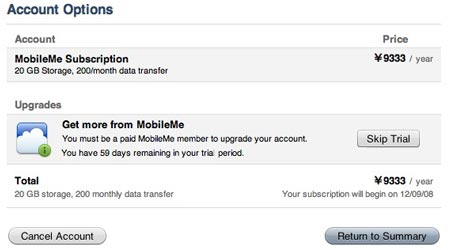
Update: Don’t know why, but the plan is priced even lower–¥9333 ($87.70)–inside the Mobile Me account under my “Account Options” (see below). Though, I could swear I heard of a $60 deal for the first year if you got it with your iPhone. Is that only if I buy the iPhone directly from Apple? I’ll have to check on that…

Mobile Me Pricing

Categories: iPhone Tags: by

Not Adding Up

July 14th, 2008 Comments off

Something’s not right here, that’s for sure. Piper Jaffray in the U.S. has estimated that over the weekend, no more than 9,000 iPhones were sold in all of Japan.

However, it is pretty well established that there were more than 1000 people in line for the iPhone on the first day in Omate Sando; that Bic Camera and Yodobashi Camera each had 1,000 units, and both sold out. Right there we’re talking about more than three thousand iPhones.

Then there were roughly 2,700 SoftBank stores around the country selling iPhones. I know the one I went to–one of at least half a dozen in Ikebukuro, not even a very big shop–had at least 70 iPhones, as that was where I was in “line” and they probably sold more than that. But somehow, those 2,700 shops only sold three iPhones apiece between them? Somehow that doesn’t quite add up right.

We’ll have to wait for some slightly more official sales figures to come out, it looks like.

Update: As I thought: Apple has released the official numbers, and they did sell a million iPhones as was intended, not the 425,000 the analysts projected.

Categories: iPhone Tags: by

More iPhone Impressions

July 13th, 2008 1 comment

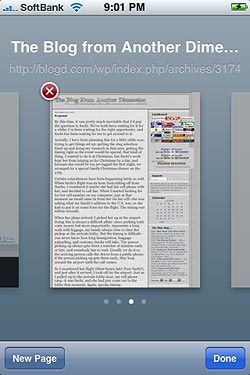
Iphone Safari 01I’ve had a bit more time to play around with the iPhone, and I have both positive and negative impressions to report. Overall, the impressions are positive, because I very much like this little machine–even though I am still in the process of getting set up and used to stuff. I just need more time to enjoy it fully, is all. I’d start taking the train as a way of having time to watch videos and stuff, except that where I’m located, the train trip wouldn’t take long enough! It’s also a temptation to use it more often, to make calls and get calls.

The negatives: missing features. Why haven’t they implemented copy and paste? That makes no sense. Another huge time-saver would be to implement (or allow a third-party hack for) auto text replacement–like “AutoCorrect” in MS Word, you type in a code and is automatically swaps it with a longer text string. I know I would use that quite a bit. You could, essentially, create your own shorthand and type stuff a lot faster and easier.

And when I come to think of it, where’s the universal landscape keyboard that everybody has been clamoring for since the iPhone first came out? There are universal keyboards in some apps (Safari being the most commonly used), but most other places, you have to deal with the narrow keys.

The Email app is perhaps the most troublesome in terms of missing features. You cannot mark multiple emails or all email in a mailbox as “read”; instead, you have to view each message before it will disappear from the number count. As mentioned before, the lack of a spam filter is pretty huge, and not being able to turn off inline images is downright reckless. Not being able to selectively disable incoming/outgoing mail is a bit disappointing as well.

For another setting: what use is the wallpaper if you only see if for two seconds as the phone starts up?

Also frustrating is what Apple has done with its site: they have shot down the Search feature in the discussion area, which renders the site mostly useless, instead of being a gold mine for solutions. What the hell are they thinking?Iphone 0708 01

Okay, so it’s building to a fair list of annoyances–but they are mostly minor stuff, or stuff I can learn to live with okay. Nothing’s gonna be perfect, especially at version 2.0.

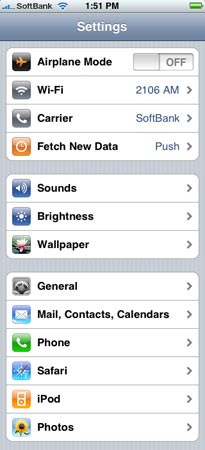
In the “good stuff” category: in the Settings “control panel” area, there are some useful settings to know about. The “Fetch New Data” setting allows you to switch the phone from getting your email only when you enter an account in the Mail app, to checking your email every 15, 30, or 60 minutes, in case you’d rather see alerts for new messages pop up on their own. You can set a Fetch time but still set individual accounts to manual, all in the name of saving battery life.

Under “Sounds,” you can set ringtones and alerts for various situations. Try turning the Brightness up all the way–it’s pretty impressive. Well, indoors, at least. Under “General,” you can track usage–how many minutes of calls, how many data packets and MB transmitted–important if you don’t have unlimited plans; you can change Network settings to disable 3G and data downloads (if you’re overseas).

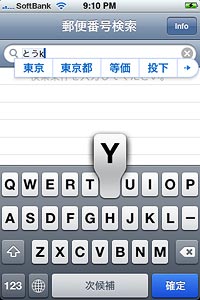
Iphone 0708 02Features you may not have known about: double-clicking the Home button can take you to Phone Favorites or the iPod controls (you can set that under Settings/General/Home Button). Holding down the Home button and the Sleep/Wake button at the same time will take a screen shot of your iPhone and save it to your Photos area. When typing, double-tapping the space bar will type a period and a space.

You can force-quit a program by holding the Home button down for six seconds, or reset the whole iPhone (if it completely freezes) by holding down the Home and Sleep/Wake buttons for eight seconds. I found the force-quit useful this morning, as my Mail app seemed to be stuck checking mail–the progress ring just kept rotating and wouldn’t stop. Force-quit, open it again, and it works. I guess one thing to get used to is that this is a computer OS, and not a rigidly set cell phone directory, so you have to deal with stuff like app hanging from time to time.

A nice hack: you can avoid paying through the nose to use music you’ve already bought as a ringtone. (This hack is for Mac users.)

If you got the music from the iTunes Store, you must burn it to a CD and then rip it back into iTunes to strip the DRM. If it’s not DRM’d (say, ripped from a music CD), then you can use it freely without the burn/rip hack.

Just open Garage Band, create a new project (give it the name you want the RingTone to bear), Command-Delete the default track (usually a Grand Piano), and drop the music file icon into the track area. When you are ready, go to the “Share” menu and choose “Send Ringtone to iTunes.” You will probably be prompted to edit your file at this point; ringtones can only be up to 40 seconds long. When you agree to edit, you’ll notice an orange bar above the sound track. Adjust it so it covers the area you want to have as the ringtone. Then send the ringtone to iTunes again, and this time it should work. The file will appear in iTunes, and the next time you sync ringtones, they will be uploaded and available.
Iphone 0708 03
Another thing I discovered: You can set up your SoftBank email account on your computer as well as on the iPhone. Sachi wanted to use her SoftBank account to do most of her communicating with friends (I think more because she’s used to the idea of doing that than an actual preference for the keitai’s email), but she doesn’t like the iPhone’s text input (she won’t trust the corrective typing yet, nor is she used to use the broad part of her thumb to type, so she’s sticking with the old-style keypad input). So I just set up her SoftBank mail account on her MacBook. You have to get the settings right (copy what’s in the iPhone), but when you do, it works like any other email account.

Categories: iPhone Tags: by

First Impressions

July 12th, 2008 5 comments

Reader’s Digest version: it’s a nice phone.

Slightly longer summarized version: though the setup process is rather difficult, once in use it works like a charm.

Now for the hoary details. Images will have to wait for when I have time.

Form: I like the way it feels. Not the way it smudges, but the shape conforms to the hand just about right. It’s clearly not designed optimally for one-handed use; it’s too wide for the thumb to reach across. It’s obviously supposed to be a two-handed tool, at least most of the time. One Japanese keyboard layout does compromise, simulating the keypad experience, but mostly you need to have both hands free in order to get maximum use from it. The casing is smooth but not too slick, although that just may be my own hands and how they do friction-wise; but I do not fear this slipping out of my hands (though perhaps only experience will tell).

Basic Use: Once you get used to the variations of the Home button and the Sleep/Wake button, it’s pretty easy to turn on and off in ways appropriate for the situation. the wall paper is nice, but if it is only visible between turning on the phone and unlocking it, then it’s a bit fleeting. The buttons are just right, of course, and the multi-page Home screen is spacious enough for the time being. To rearrange your icons, just hold one down for a few seconds till they all wiggle (cute), then drag and drop to suit. Pull an icon to the edge of the screen to pull it to another page. Items that can be deleted grow a circle with an “x” at top left, familiar to anyone who uses widgets in Dashboard. Hit the Home button to settle them again. To move between pages, swipe the initial Home page right to left. (The pages do not loop.)

When using any app, you can quit by clicking the Home button, which takes you back to the Home screen. If you return to the app you left, it’ll start up where you left off.

Speed: I’ll have to find a web site based in Japan which tests for speed; a U.S. site netted dubious results. But I have few complaints. It’s slower than a full-fledged computer, naturally, but otherwise it works just fine. Web pages do not take unduly long to fill in (usually), and the maps work pretty well too. One gripe: I don’t know if this is just my phone, but I am getting regular keyboard freezes. Not fatal ones, and it’s just when I begin typing sometimes. What I type will suddenly stop and stay frozen, and nothing will move the action on the screen–but the iPhone will save the action you do while it’s frozen, and so all of those button clicks and taps and swipes will play out rapidly, and often destructively, when the keyboard jumps back into life. We’ll have to see about that. (A bug for the next firmware upgrade to solve?)

The Phone: Haven’t had much chance to use it. Seems to work OK. More on that later.

Email: SoftBank dropped the ball here, giving poor instructions for their service. GMail works fine, and I assume that Yahoo Mail, Exchange, and Mobile Me do as well. POP and IMAP I have had a few problems with, but they seem to work once you get the settings right–but there might be some frustration along those avenues. The most notable problem: there appears to be no junk mail/spam filter. While GMail seems to pre-emptively filter, my POP accounts don’t, and the spam goes unchecked into my InBox. Annoying. Looks like I’ll have to figure out ways to filter things at that level.

Browsing: Works as advertised. Web pages are pretty easy to manage despite the small screen size. Tapping on a link takes you there; tapping on a text field opens the keyboard, and fields can be navigated with a handy set of “Previous” and “Next” buttons.

iPod: For some reason, I couldn’t get any sound to play at first, but that problem disappeared on its own, and all works smoothly now. Finally I have a video iPod. Sweet. Now I just have to get (a) the media on the phone, and (b) the time to enjoy it. Already I have Olbermann’s Countdown subscribed to, though Keith is on vacation this week.

The App Store: It works very well. I haven’t ventured into the paid territory yet, but so far the free stuff comes down fast and easy; installing software is a breeze. Getting it to work may be a different issue. So far, the Currency app and the NYTimes app both crash upon starting. What does work for me: AOL Radio (who needs an FM receiver?), an audio Mandarin Chinese phrasebook (Sachi likes it, wants me to get the Japanese version), And EkiTan, an app which figures out which trains your should take and when, like Yahoo Transit Japan.

Which brings me to another point: if you have credit cards with billing addresses in both Japan and the U.S., you can purchase apps from both stores. Sweet!

One useless but irresistibly cute app: PhoneSaber. Does the Star Wars lightsaber sound when you wave the phone around.

Touch Screen and Typing: I’d give it 9 out of 10 stars, but part of that is my prediction of how I’ll get better with it. Already I can type fast; I find the virtual keys are not that hard to hit, and when I “use the force” and let the predictive typing feature overcome my neurotic desire to catch and repair typos, I can go even faster. Though, as I mentioned before, the “o” key too often becomes a “p.”

Tapping and swiping work OK, swiping better than tapping. Some taps don’t register as well, and it definitely helps if you tape straight-on instead of at an angle, and more so if the phone is in your hand and not in someone else’s.

As mentioned earlier, Sachi is having a hard time with her long nails (Steve Jobs would have rethought the stylus idea had he grown nails like Sachi’s), but I think she has too little trust in how useful the broad flat pad of each finger can be utilized; she tends to go for the tip of the finger more, and often resorts to the edge of her pinky. She prefers the keypad input to the keyboard more for the broader keys than for the convenient typing style.

You can easily switch between international keyboards. I have U.S. English, QWERTY Japanese, keypad Japanese, and finger-drawn Chinese input methods active. Tapping the Globe button cycles through them.

It’s 4 a.m. and I have got to crash. More tomorrow. Sachi and I will be using our phones to help us navigate to a lunch spot to eat with an old friend of Sachi’s, so we’ll get more real-world use. I am tempted to buy some kind of handlebar-mounted stand so I can use the GPS–but that temptation is tempered by the fear of the iPhone falling off and crashing on the concrete.

Anyway, more later. If anyone has questions, please feel free. Again, sorry for not proofreading.

Categories: iPhone Tags: by

The Long, Grueling Wait for an Expensive Gadget I Don’t Need But Really Want Is Finally Over

July 12th, 2008 3 comments

Yep, I finally got my hands on an iPhone. I should start by stating that this post is a narrative about getting and setting up the phone, and not a review of the features and usability; that’ll come in my next post.

As I reported a few days ago, SoftBank called me and cheerily arranged for an appointment. They seemed pretty open about when I could do it; they first suggested the 12th, but when I asked for the 11th, they agreed, and even happily changed the times as I became indecisive. As I had several months previously inadvertently scheduled a review class for my students just an hour after the official release date. No biggie; waiting another day would have annoyed me, but waiting a few more hours wouldn’t.

So I held the class and did final work at the office before heading home at about 3:15 pm. And on the way home, ran out of gas. Naturally. I had noticed it as I passed a gas station, but then thought, there’s a cheaper one just ahead, and my remaining gas spurts will take me there. Indeed they did, except for the small detail that the cheaper gas station had shut down, and the closest one after that was a half kilometer ahead–up a steep hill. Great.

By the time I got home, I did not have any time left to walk leisurely over to the SoftBank store, so I hopped on my bike and pedaled over–and therefore arrived nicely drenched in sweat. Fortunately, I had a hand fan and the shirt I was wearing didn’t show it badly. Sachi was waiting for me, and we walked in. In a few moments, we were taken to adjacent service counter stalls and waited on. Apple juice and tea were served, and candies were out on the counter.

Then they brought out the phones, and I noticed that they had the white iPhone for me. I asked if they had a black one, and it turned out they did, so I made the switch. It is exactly for this reason, however, that I strongly prefer seeing what something looks like before I buy it; only after the box was opened and the phone was in my hands did I notice that hand grime shows up rather significantly on the black finish. At least, it seemed that way, but later it turned out my hands were just grimy from all the exertion earlier. But even now, after using it for a while, the idea of the white back would be less of a color distraction than I imagined it to be, and the white surface, while more easily scuffed, would (probably) show hand oil smears a lot less prominently.

No big deal, though–it’s not as if this is a deal-breaker or anything, just a very mild case of color-related buyer’s regret. But that was the biggest disappointment, and not a very big one at that.

A few things about the shopping experience surprised me. First, they didn’t ask for my gaijin card or my passport as they had insisted they would, nor did they make a deal about my visa ending soon. I have no idea why, and didn’t intend to bring up the subject; maybe it was because I presented them with a driver’s license. Perhaps the gaijin card is expected because most foreigners don’t have DLs, and perhaps a license fills a prerequisite for trust that you won’t skip out of the country or something. Whatever.

Another surprise was that you get to choose your phone number with a level of precision greater than I have ever seen before. When I got our current home land-line number, I was not given any choice. Usually they give you two or three numbers to choose from. But with my phone (Sachi ported her old number to the new phone), I was allowed to choose exactly the last four digits. I chose the year of my birth, dead simple to remember, and more likely to be open than popular four-digit codes. And sure enough, the gal returned with three or four different prefixes I could use. One of them had a very nice sequence–3693–and so I chose that. Very nice; I will remember this number instantly, whereas I still don’t remember the PHS number I have used for the past ten years.

The last surprise was that they did not activate the iPhone in-store; they simply installed the SIM and told us to activate it when we got home. Probably this had to do with the fact that their instruction papers sucked and they didn’t want to deal with it in the store, I don’t know. Whatever the case, we would have only bricked iPhones that told us to connect the USB cable to a computer until we got home.

As it was past five p.m. when we left the store–the whole process took an hour and fifteen minutes–Sachi and I were looking to eat dinner soon, but figured we’d activate the phones first. So when we got home, I set out to do exactly that. There were a few hiccups involving the iTunes Store and our apparent location (Japan or the U.S.), but the activation part was easy enough–just connect and before you get to the iTunes Store, you receive an SMS message telling you that your phone number is active.

O-IphonesLet me depart from my narrative here and give a quick set of impressions. From the rather shoddy-looking artwork to the right, you can see the difference between my new iPhone and my old PHS. Sorry for the poor image, but it’s late and I’ve been too busy to really work up a nice graphic. The iPhone is a lot wider and flatter than a standard cell phone; it comes across as solid and slick. Of course, all I have to compare it with is my 5-year-old piece of crap PHS, next to which it appears almost magical.

I had been warned that the phone could slip out of my hands, but after handling it, I just don’t see it happening, unless my hands were so wet I wouldn’t want to touch the phone anyway. But one warning was more true than I thought: the thing smudges like a sonuvagun. I find myself wiping it a lot; I will either get used to the smudges, or I’ll get used to the wiping. Minor inconvenience. The Home button clicks nicely, and the volume and off switches are easy enough to use, but I have yet to figure out how to make the ring/vibrate button work. The touchscreen takes a bit of getting used to, and Sachi has been having a hard time with her nails being long–we’ll have to pick her up a stylus and right quick. I’ve had little trouble, although the “o” key on the virtual keyboard is hard to get–it always ends up as a “p.” I’ll give a more extensive review of the phone in my next post, as promised.

So Sachi and I played with them for a few minutes before heading out, and the obvious first choice was to use the Maps feature to see what restaurants were nearby. Sachi wanted Italian, and when we searched, we found one virtually across the street from our building, well-rated and relatively low-priced ($55 for us both), and as it turned out, the food was great. Sitting next to us was a group of four Japanese businessmen, and although I was not following the conversation, I could not help but overhear them talking about the iPhone more than once. I had to resist the urge to whip out mine and show it to them–Sachi expressly forbade me, and I’m not even sure I would have had the guts to anyway–but it was a big temptation nonetheless.

It was after we got back home that the real sussing out began. I should have foreseen that there would be difficulties, as I remember my sister having some trouble figuring things out. Complicating matters was the fact that Sachi was impatiently asking me about stuff every few minutes as she tried to work out her iPhone, and seemed miffed that I didn’t know all the answers. It’s hard enough to figure out setup processes for any device, even an Apple machine, without having to set your own machine down and work out what someone else has been doing when you were not paying attention, and then untangle their knots. Sachi was anxious to get email going so her friends could stay in touch.

We spent about an hour updating our Address Books; Sachi had to retype hers by hand, whereas I had to join and then pare down the two disparate address books from my desktop and laptop Macs, deleting the duplicates and updating numbers and addresses that had been neglected. Then we tried to sync, but hit a snag: Sachi’s phone had not yet been registered, and it won’t sync until we could get it registered–but it turned out that the iTunes Store, which you need to have an account with to register, was down from the huge surge of traffic. Sachi wouldn’t seem to accept this and kept expecting me to do something–the perils of being useful most of the time.

We occupied ourselves with testing and learning the other features of the phone, had fun with SMS, and learned a bit more about the settings and basic features. We also learned about how much SoftBank was unprepared when we tried to establish our SoftBank email accounts–they didn’t exactly work well.

I had already registered my phone, so it was syncing–and it synced all of my Mail.app email accounts (about a dozen of them). I had trouble figuring out exactly how it had handled each. Most didn’t seem to be working, but I think that’s more because they just didn’t get any mail, and so seemed inactive. There was trouble figuring out which account was being used to send what, what accounts worked, and so forth.

Sachi grew ever more impatient that we could not get SoftBank’s email to work, so I created a GMail account for her and got it working both in Mail.app and on her iPhone. She was pleased when the Mail.app version worked with her address book and we could do a mass mailing to all of her friends. Soon after that, we finally got her new iTunes account to work, and all was better, at least nominally in terms of functionality.

So from now, we’ll probably spend the weekend figuring things out. I will likely spend a horrific amount of time on hold with SoftBank’s service people as we try to figure out what’s wrong with their email service, and might even wait on hold with Apple to figure out a few other things. But already it’s been a lot of fun.

More details in the next post. Forgive me for not reviewing and editing this post as I usually do.

Categories: iPhone Tags: by

McCain’s Top Advisor: Americans Are “Whiners,” Should Be Grateful for Bountiful Bush Economy

July 11th, 2008 1 comment

Mccain-GrammAmericans are making less while working harder than ever, when they can find the work, that is. Bush’s tax cuts have gone mostly to the rich, and what scraps the middle and lower classes have been tossed have been wholly eaten up by other costs–just the price of gas alone has eaten up every non-gazillionaire tax cut, many times over. We’re hemorrhaging jobs, suffering from fuel-driven inflation, and Americans are hurting–bad.
So what does John McCain’s chief economic advisor have to say to Americans?

“You’re all whiners!! This isn’t a recession! You’re just imagining it!”

And sadly, that characterization is not an exaggeration:

“You’ve heard of mental depression; this is a mental recession,” Gramm was quoted as saying.

He goes on to say that the United States has “never been more dominant” and has “benefited greatly” from globalization.

“We have sort of become a nation of whiners,” he said. “Misery sells newspapers,” [Former Senator Phil] Gramm added. “Thank God the economy is not as bad as you read in the newspaper every day.”

If Americans were just reading about it in the newspaper, then things wouldn’t be so bad. The trouble is, most Americans are living this horror show of an economy. Perhaps Gramm, living large as he is, simply has no clue as to what actual Americans experience.

Now, the question has already come up: Obama caught hell for a full month or more for saying that some Americans are “bitter.” Now McCain’s top advisor has called all Americans “whiners” who don’t know what their own economic conditions are like.

Is this far enough from McCain that the media might actually give it some air time? Somehow I doubt it. But you can be certain of the fact that if an Obama surrogate had said this, it’s be “Breaking News” 24/7 for the next week or more.

The McCain Campaign reaction?

A McCain official said: “Phil Gramm’s comments are not representative of John McCain’s views.”

Um, then you shouldn’t be hiring this guy to be McCain’s chief economic advisor then, dude.

iPhone Hype in Japan

July 10th, 2008 Comments off

It’s a pretty interesting phenomenon here. The line at the Omote-Sando store is now huge, with more than a thousand people in line by now–some reports say 1500, and thousands more expected by tomorrow. Seriously, it’s a Festival environment there, looks just like cherry-blossom viewing or something. Tarps laid out, people drinking beer, the whole nine yards. Masayoshi Son, the head of SoftBank and a bit of a celebrity, is on the line shaking hands and stuff. Here’s the Twitter blog of a guy who got in line a few hours ago, and he’s about 850th in line.

TV and press reporters are all over the place there, and it’s becoming a pretty big media event. Sachi has a news show called ‘Zero“ on, and they had a pretty long segment on it, which included a live report from the flagship line, some demoes of an iPhone they got their hands on, and reports on stuff like the relationship between carriers and cell phone makers–how the makers are usually at the mercy of the carriers, but the iPhone is leading the carriers around by the nose.

Frankly, their handling of the phone was surprisingly clumsy, as if they had just been handed the thing for the first time (which it probably was). For example, they showed the Calculator app, but didn’t turn it on its side; they showed photos, but did not pinch to show zooming. They didn’t even try out maps, one of the most impressive features. They just turned stuff on and looked at it without actually doing anything; for example, they turned on the calendar and just sat there looking at a completely blank list, no appointments. Pretty lame.

But they are playing up the phone itself; this one show had a ticking clock showing how much time remains until the first one is sold. Pretty funny.

Categories: Focus on Japan 2008, iPhone Tags: by

It’s About Time

July 10th, 2008 Comments off

French winemakers are finally abandoning the cork and switching to screw-tops. And it’s about time, too.

I have always hated corks. If they provided any advantage in taste, I could never detect it; in fact, in preventing oxidation of older wines, screw tops can actually be better (not that I really understand this, but the article says so).

For me, the cork has represented the worst of persistent use of outdated technology. It has probably persisted more because of image than anything else; screw-tops simply “seem” cheap, whereas corked wine comes across as being more classy. The QWERTY keyboard, another example of a persistent anachronism, at least has a pragmatic reason for continuing: it would be expensive the replace all the keyboards and re-train all the typists. Corks have no such excuse, as far as I know.

But it’s more than just not being as good as newer technology–corks are simply bad, period. They make it harder to open the product, and sometimes break into pieces, polluting the wine. Most corkscrews are badly designed, making the task even more difficult. And once out, they don’t fit back in very easily, requiring you to use a secondary cap device.

At least some cork alternatives are not so bad; some wines have plastic or other alternative corks which don’t break or disintegrate, but even these substitutes, though easier to extract, can also be hard to put back in.

Anyone out there have examples of other persistent outdated devices or technology?

Categories: The Lighter Side Tags: by

San Francisco Values

July 10th, 2008 3 comments

Reagan got a big airport in Washington D.C. Dubya gets a small sewage plant in San Francisco.

The appropriateness of this designation is so blindingly obvious that it needs no further comment.

Categories: Bush and Character Tags: by

If You Don’t Need It…

July 10th, 2008 Comments off

As a SoftBank commercial came on just a moment ago, I just realized that while they’ve been running their usual barrage of White-Plan and Cameron Diaz spots, they have not run one ad for the new iPhone.

But then again, the don’t really need to, do they? Not yet, at least; the iPhone is almost certainly going to sell out for a while, even without a single ad anywhere. Maybe when they start registering unsold stock, they’ll start running some ads.

Categories: Focus on Japan 2008 Tags: by

The Call

July 9th, 2008 2 comments

This afternoon, I got the call I’d been waiting for: SoftBank called to arrange an appointment to pick up our phones. After some procedural stuff, we arranged for a meeting time of 4:00 pm on Friday, just four hours after the release time for the store. I would have made it earlier, but earlier this semester, before the iPhone for Japan had been announced, I had happened to schedule a special workshop class for the 11th at 1:00 pm. So 4:00 it is.

Getting the appointment is a nice relief: it means I won’t have to wait in the long lines at the store. Officially, you’re not supposed to get appointments; Apple and/or SoftBank demand that you come to the store and wait in lines, probably as a marketing display to show off the item’s popularity. But a few SoftBank stores, apparently fully independently, made promises on the first day or two to take reservations–that’s when I dropped by, and got on the list. Although I heard one report of a store canceling its reservations, I heard of at least one other that did not, and when I asked a few weeks ago, the store I signed up at said that although they stopped taking reservations, they would not cancel the one’s they’d made. True to their word, they are honoring the arrangements they promised a month ago. That puts me at a great advantage over the people who have been spending days in line–but I think those people would wait in line like that just to be able to (a) get the iPhone a few hours earlier, and (b) claim to their friends that they were among the first to get the devices.

One catch: they said they didn’t have black 16 GB iPhones. I’ll ask again the day we get them, but they seemed to be saying that the black ones were either immediately unavailable or were already spoken for–but they had white ones. Frankly, the color isn’t quite that important to me, and does have the distinguishing characteristic of denoting a less common model/color, but if I had a choice, I’d go for the black one. Still, there is one other advantage: Sachi will have the black 8 GB model, and this will make it easier to tell the phones apart.

Sachi, by the way, is claiming no great interest in the iPhone, but will get one just to stay on the same plan. Still, when I showed her the Apple video in Japanese demoing the phone, she was very interested in some features, especially the map feature. Nevertheless, I’m pretty certain that if I were not getting one, even knowing the features, she would probably stick with what she’s got.

Categories: Mac News Tags: by

iPhone Fever

July 9th, 2008 1 comment

I guess I should have expected it, seeing as how so many Japanese people line up for days waiting for the next iteration of the latest gaming system, but I was still a bit surprised when I heard that lines have started to form in front of the Omote-Sando and Shibuya branches of SoftBank four days in advance of the release of the iPhone. I mean, in New York, people started lining up a week before, and it’s just a version upgrade to them, so I guess this is not a big thing. Still, it’s nice to see if not popular interest yet, then at least intense fanboy interest.

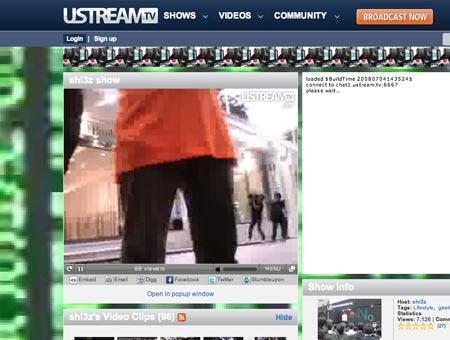
Some of the people near the front of the line are doing a streaming video live blog from their position in line. They do stuff like interview people and generally gab. For the first hour or so of broadcast this morning, all they did was show this guy’s crotch, so I didn’t really hang around for long.

Lbc0709

But since then, whenever I checked back, they were doing something or other a bit more interesting to say the least. It looks like they’re showing the interviews with all the media people who are doing stories about them.

Sorry, but even for a strident Mac fan like me, these people are nuts.

Categories: Mac News Tags: by

They Make It So Easy

July 9th, 2008 2 comments

Partisan Windows/Mac Attack Alert! If you like Windows, move along, I’m ranting again.

An article is out in Information Week about how Microsoft is gearing up to counter Apple’s “I’m a Mac, I’m a PC” ads. Boy, they sure don’t miss a thing at the Borg Flagship; it’s only been two years since those ads started. But considering that it took them more than five years to upgrade XP to the Chrome-Plated Turd™, this is actually a pretty fast response in Microsoft Time™. The thing is, they make it so easy to shoot them down, it’s almost not even fun.

“Almost” being the operative word.

Speaking at a keynote address at Microsoft’s annual Worldwide Partner Conference, [Microsoft’s VP of Windows Vista consumer marketing Brad] Brooks signified that Microsoft was ready to admit mistakes and reposition itself to tell a better story about Windows Vista, to counter attacks by rival Apple and let customers know that Vista is finally stable and ready.

Hm. It’s been only 18 months since Vista was first released, and now it is “finally stable and ready.” Funny, I thought it was best to have the OS stable and ready before it was released, not a year and a half after. Those Mac guys certainly have a lot to learn from the OS Masters in Redmond.

“You thought the sleeping giant was still sleeping, well we woke it up and it’s time to take our message forward,” Brooks said.

So, Apple is the Japanese attacking the U.S./Microsoft? Wow, ballsy.

“We’ve faced these challenges before, and we’re going to solve them again. There’s a conversation going on in the marketplace today and it’s just plain awful. We’ve got to get back on the front foot.”

So, you noticed your PR was awful, did you? Like I said, they don’t miss a thing.

He pointed to selected negative quotes from Windows XP’s first year as evidence that operating system launches can often be rocky.

I’m not an experienced expert in PR, but if you’re going to make a statement defending flaws in your product, wouldn’t it be better to argue that the other company’s product has had the same issues? If I were him, I’d have pointed out that OS X, when first released, was also half-baked and buggy for a while. Of course, it was a completely brand-new OS, which Vista doesn’t have for an excuse, but still, it would have been a better argument than “Oh, our products are always shoddy for the first year or so.” This guy is Microsoft’s VP of Windows Vista consumer marketing? No wonder they’re in the toilet.

In the coming weeks and months, Microsoft will launch a huge advertising campaign that’s been reported to be worth hundreds of millions of dollars.

I would imagine that more important than the price of the campaign would be the message and the quality. Just like MS, believing that brute force is the only key factor.

Microsoft advertised Vista to small businesses in The Wall Street Journal and USA Today the last two weeks, and plans a much larger wave of ads under the tagline “Free the People.”

Excuse me for a moment. I just snorted an entire 6-inch Subway BLT out my nose.

Brooks gave a taste of what’s coming with a few swipes at Apple and some selected highlights of Windows Vista’s features.

Like the ones they stole from Apple’s OS which was released more than three years ago? And implemented badly? Ooo! If you buy the Premium version, you can use their “Flip 3-D” method of choosing windows, which is a badly-designed rip-off of Apple’s 2005 “Exposé” feature! Make a commercial out of that!

As part of that compatibility message, Microsoft will work to reverse the widely held belief, informed by early troubles upon the operating system’s launch, that Vista isn’t compatible with many applications and devices.

“Belief”?

“Windows Vista is an investment in the long term,” Brooks said. “When you make the investment into Windows Vista, it’s going to pay it forward into the operating system we call Windows 7.”

“Buy our crappy OS now so you will be better prepared for our next version of the OS which we promise will be worth it”? Are they kidding?

Microsoft also intends to talk up Windows Vista’s upgraded security, including features like BitLocker Encryption. According to Microsoft, Windows Vista had fewer than half the security vulnerabilities Windows XP had in its first year.

Oooo! “BitLocker Encryption”! Sexy! And “fewer than half the security vulnerabilities”? That sounds secure. Notice, by the way, that they talk about “vulnerabilities,” which sounds so much better than “100,000 viruses, worms and trojans.” They’d rather talk about “vulnerabilities” despite the relative irrelevance of that yardstick because it’s the only way they can claim any kind of security advantage, however laughable, over the Mac.

Brooks even made a bold claim that Windows Vista was the most secure commercial operating system ever in its first year of release, and said “you don’t hear Apple saying that,” though he didn’t lay out the evidence for that claim.

Maybe you don’t hear Apple saying that because they don’t need to, everybody pretty much knows it already. It’s rather obvious. I’m pretty sure that every Mac OS has been more secure than any Windows release, and not just in it’s first year of release. And by the way, I think Apple has mentioned that kind of thing before.

It appears that Microsoft will also frame Windows as “a kind of language,” as that’s how Brooks referred to it in his keynote. “There are over a billion users using it today,” he said. “It’s bigger than Mandarin Chinese, bigger than English, and like those it connects people.”

Yes, having a virtual monopoly makes it so easy to claim big numbers. But numbers don’t translate into quality, especially when the numbers are shrinking despite having people locked into an OS via prior investments, habit, and inertia. If all MS can argue is “we’ve trapped lots of people into using our product, and they’re finding it difficult to escape,” I’m not sure that’s going to sell extremely well.

Microsoft is finally starting to come around to the fact that it can’t just sit back and let others define it.

Again, the monopolistic, 800-pound-gorilla mindset. MS didn’t have to define itself if people had little choice; the fact that they feel it necessary to do so now shows that MS has finally realized that they are becoming more and more vulnerable.

And at least in that one way, they are very smart.

Categories: Computers and the Internet Tags: by

MSM: Is McCain Right, Or Is Obama Wrong? We Spout Crap, You Go Retch

July 8th, 2008 2 comments

I just had to switch off the podcast for Hardball with Chris Matthews. It was, effectively, a McCain love orgy putting on airs of being even the slightest bit critical. They completely bought into the McCain party line, broadcast only his ad, and talked about Obama not in terms of whether or not he has “no new ideas” in energy, but rather about how McCain and the GOP should talk about it, as if there was no question about the assertion. Rather than discuss the two candidates’ plans, they simply claimed he was–as the GOP ad alleges–just against McCain’s ideas (the gas tax and offshore drilling), didn’t have any of his own, and that Obama was out to raise taxes. I kept waiting for them to get to the other side of the story, but they didn’t–they kept gushing the same crap, almost as if the McCain campaign had written the show’s script. They accepted the GOP claims completely uncritically.

They did not even come close to talking about the fact that McCain’s ideas on energy are almost all empty pandering, as if the “gas tax holiday” had not already been debunked as saving drivers literally pennies per day. They acted as if offshore drilling had not already been shown to be worthless in the present crisis–nor that McCain just a few months ago was saying exactly that. They did not mention that oil drilling off the coast would not show any returns for five years, would not fix the refining bottleneck which fuels higher gas prices, and would not even be a long-term fix, with oil production not even coming close to significant levels even after drilling was well underway.

Nor did they focus on the fact that Obama, not McCain, was in favor of overturning the Enron loophole, which could help slash oil prices, or that Obama was more likely to bring the Iraq War to a sooner close and that the extraction of American soldiers from the region could have an equally positive impact on oil prices (after all, our presence there has done wonders for oil prices already, don’t you think?). And never mind that Obama is much likelier to take alternate energy research far, far more seriously than McCain is.

No, Hardball was more interested in simply swallowing McCain’s steaming load of BS wholesale. The more I listen to the U.S. media cover this election, the more and more disgusted and faithless I become in their being recognizable in any way shape or form to actual journalists. And considering that I had a low opinion of them already, that’s saying a lot.

Categories: "Liberal" Media, Election 2008 Tags: by

McCain: Trust Me!

July 8th, 2008 4 comments

Josh Marshall has an excellent rundown on why McCain’s promise to balance the budget is an empty sham. Short version: he has no numbers because there is no way to draw up any plan–even a fuzzy, shoddy one–that could possibly achieve what he’s promising. So instead, he’s just saying that (a) he will cut wasteful spending which he won’t currently identify save for limited examples, (b) he will magically win the war in both Iraq and Afghanistan, apparently using secret plans he will not reveal to us or even to the White House but they will work and save us money, and (c) the economy will have “reasonable growth,” apparently for no reason other than because McCain will magically imbue them with confidence despite all indicators to the contrary.

All this will happen despite the fact that McCain promises another layer of tax cuts mostly for wealthy people which will cost $3.6 trillion over the next ten years, and he promises to increase military spending.

Now, let’s see… cutting taxes significantly and mostly for wealthy people, growing the military, cutting waste, and promising to magically balance the budget… hmmm, where have I heard that before? Oh yeah! Every Republican presidential candidate for the past few generations!

And how has that worked out? Let’s see… Reagan: started massive deficits; Bush: continued massive deficits; Bush Jr.: after Democratic Clinton balanced the budget, Bush Jr. brought us back to massive deficits again. Did any of them cut waste? Not really–they tried to cut Medicare and other programs most Americans approve of and want, but certainly under the last Bush, who had the Congress doing whatever he wanted, waste exploded.

Essentially, we’ve seen exactly what these promises will bring. McCain would cut taxes, mostly for the wealthy (as he has laid out), and I don’t doubt that he’d increase military spending (as Obama probably will as well). He might even try to carry out his promise to veto pork, except that (a) there’s not nearly as much cuttable pork as he suggests (but somehow never fully identifies), and (b) Congress would probably override his vetoes anyway.

But as for balancing the budget? Forget it; the budget will simply explode even more; that’s pretty much a foregone conclusion. Even if he did everything he promised, he could never even come close to balancing. Especially if he did everything he promised, in fact. Even in McCain’s Super-Duper Magic-Pony 2013 Ultra Fantasy World™.

Schieffer Shilling for McCain Again

July 7th, 2008 1 comment

Last week, we saw CBS’ Bob Schieffer getting visibly upset when Wes Clark respectfully questioned McCain’s qualifications for president. This week, Schieffer seems to be tipping his pro-McCain hand even more:

Sen. KERRY: He said, you know, you can’t–I have to tell you, Bob, I just came back from the Middle East. I just met with the king of Saudi Arabia. I met with President Mubarak of Egypt. I met with others. You know what they said to me? They said, `You, America, have served up to Iran, Iraq on a platter.’ They are outraged by this sort of, you know, ineptitude of what has been done by those who decided it was smart to go into Iraq.

SCHIEFFER: Let me just ask you one question here.

Sen. KERRY: And they have turned away–yeah.

SCHIEFFER: Before we–before–because we are going to talk about–are you now challenging Senator McCain’s integrity?

Go ahead, read the interview (PDF) and tell me how the hell Schieffer could possibly defend asking a question like that at a point in the discussion they were at? Kerry was clearly not talking about McCain’s integrity; Schieffer was baldly shilling for McCain, portraying Kerry’s statements as some kind of a vicious personal attack. Lots of stuff like that presents itself in the interview, such as introducing Kerry as a “big supporter” of Obama, but not opening his talk with his other guest–a McCain campaign co-chair–with the same note, a disparity which makes Kerry appear more biased. Even the topic of the whole interview–how Obama is “flip-flopping” on Iraq when he is in fact being consistent with what he’s been saying for a long time–betrays a good amount of pro-McCain bias.

This on the “liberal” CBS.

Categories: "Liberal" Media, Election 2008 Tags: by