
Audacity
A few weeks ago, I went on a bit about how to make a podcast, and I recommended a few audio recording and editing programs. I’m back to say that there’s one I missed which outdoes all the others. It is a freeware app called Audacity, and it’s a great program–so much so, you wonder why it’s freeware. Maybe Peak LE does stuff that pros use which I don’t know about, but as far as lay-people using apps to record and edit, this program has Peak beat hands-down.
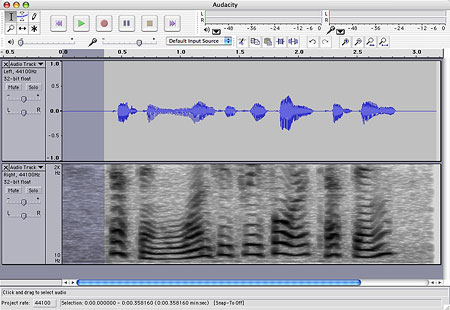
It works much the way SoundEdit did, perhaps even better, and is a worthy successor. Audacity can open WAV, MP3, OGG, AIF and Sun AU audio files (MIDI import is also possible). THe application can save audio projects as proprietary Audacity files, and can export at WAV or OGG; you can also export as MP3 with the use of a LAME library file. You can also use Audacity to record via a microphone.
Once open, you can view and edit audio files in a variety of ways. In the example below, the left audio track is shown as a waveform while the right track is shown as a spectrogram:
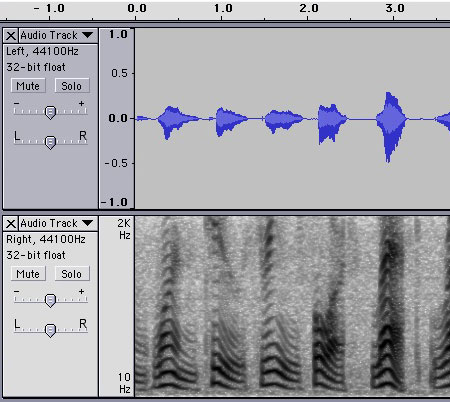
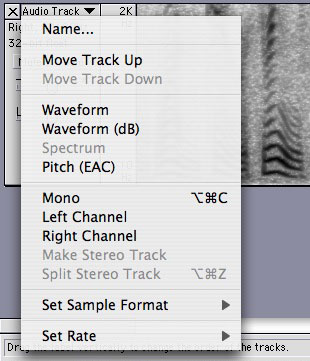
You can split stereo audio tracks and edit them separately, adding or subtracting tracks as you go. You can change the view for or switch channels for each track:

A small control panel (shown at left) allows you to change the cursor mode between selection, edit volume (envelope), edit samples, magnify, move and multi-tools modes. The envelope mode is pretty neat, allowing non-destructive volume changes on the fly which you can edit back and forth without resorting to a dialog box, making permanent changes to the volume.
Another toolbar (shown at right) allows you to cut, copy, paste; crop in and crop out; undo and redo; zoom in and zoom out; and most useful, the last two controls allow you to quickly expand either the selection or the entire audio track to fit the window.
The tracks themselves are easily and intuitively expandable, allowing you to resize the display to whatever is most convenient for you.
The audio-out and audio-in volume are even presented just right (for my tastes at least). Almost everything feels like it was designed in just the right way. Complex enough to please high-end users, but simple and intuitive enough for a lay person like myself.

Furthermore, Audacity has a range of special effects very similar to SoundEdit, including fades, pitch/speed/tempo changes, amplification, bass boost, normalization, equalization, reverse/inverse, etc. etc. It can also generate tones and silence, sometimes useful and usually missing from other apps.
It’s also available cross-platform, Mac (OS 9 and X), Windows, and Linux/Unix.
If you’re looking for a good audio program and don’t want to pay for a professional package, this is your baby.