
Even With Stacked Audiences
Bush’s Social Security push isn’t catching any steam, and it may cost Republicans next term. But that’s not the subject here. Rather, it’s about fake audiences. During the presidential campaign, Bush and Cheney became rather infamous for restricting audiences severely, packing the crowds with gung-ho loyalists only. Anyone who wasn’t vouched for or didn’t sign an honest-to-god loyalty oath wasn’t allowed in. People who did nothing more than wear attire criticizing Bush were summarily arrested, false arrest as a pretext for getting them out before any dissent or dislike could be seen anywhere near the top dogs. (Since when is dissent grounds for arrest?) And protesters? Forced to protest from great distances in obscene “free-speech zones” (clearly identifying any area near Bush or Cheney as non-free-speech zones).
Well, it worked for them, didn’t it? So why expect them to stop? They haven’t, of course, especially on Bush’s Social Security Bamboozlepalooza. Bush’s “town halls” have been again packed with people who slobber praise all over him instead of asking actual questions that most Americans wouldn’t mind hearing answered. One example: in March, when Bush was speaking in Denver, three audience members were removed from the audience because someone noticed a “No Blood for Oil” bumper-sticker on their car. They were escorted out by someone whom a Bush staffer referred to as a Secret Service agent, who wore the attire of such an agent right down to the earpiece. This man, who was not an agent (not for the Secret Service, anyway), hustled them out; the three were later questioned for a full hour by two men identifying themselves as working for the Secret Service’s internal affairs department, and were conducting a criminal investigation of some kind.
Furthermore, the first fake agent was spotted cleansing the crowds at several other Bush events in Arizona, North Dakota, and New Hampshire–the last report being that two women were arrested by this fraudulent “agent” for doing nothing more than turning their backs on the president. Oooo. Sound like dangerous types to me, good thing they were arrested, Bush was in real danger at that one.
And there is ample evidence that lists are being kept and audiences packed in order to create a false aura of popularity around the president and a deceptive perception that his policies are at all accepted by a majority of Americans.
I know, what else should I expect. But that doesn’t mean that he shouldn’t be constantly called on it. Just like his playing politics with homeland security. Remember during the election, when every time Kerry got a boost or good publicity, without fail the Department of Homeland Security would come out with a terror warning, stealing the spotlight? Remember how they insisted that it was all for real and not playing politics with security?
Well, ask yourself: how many terror warnings have been issued since the election? From what I can tell, none, aside from that plane invading D.C. airspace the other day. And Tom Ridge, who last week swore on the Daily Show that all of the terror alerts were kosher, is now admitting that administration officials were behind them, “aggressively pushing” for terror alerts when the Department of Homeland Security saw absolutely no need for them.
Add fake news stories sent to TV news shows to be broadcast as if they were real news. Reporters being paid large amounts of money to push administration policies. Press conferences rarely held, and when they are, are controlled and sometimes scripted by the administration. Lies to the nation about trumped-up “proof” of WMDs. Lies to Congress about the cost of Medicare. Lies to America about the Social Security trust fund, and about all aspects of Bush’s various plans for it. Lies about judges, lies about filibusters and who blocked more nominees. Lies even about who came up with what words (Republican Trent Lott coined the “nuclear option” term, not Democrats). Lies about just about everything.
Can these people not lie or deceive the people about anything? And how stupid do so many Americans have to be to buy into it, when it is so blatant, so easy to see?














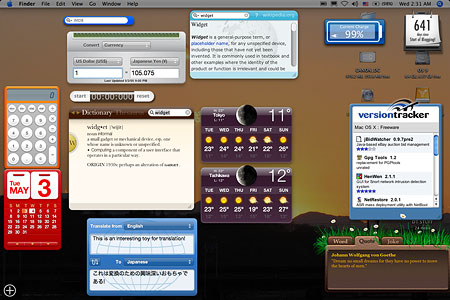
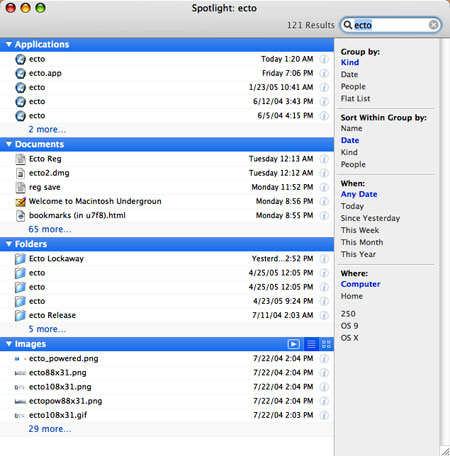
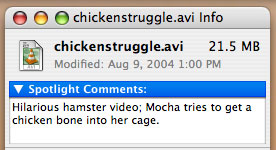
 Back to the “Show All” window. Note in the illustration I presented when introducing this window that each item takes up one line and gives limited information. A little hard to see is a ghostly “i” for “info” icon at the right of each line. Click on that, and Spotlight will expand the item to show a more detailed icon and basic information for the file.
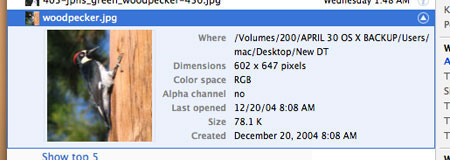
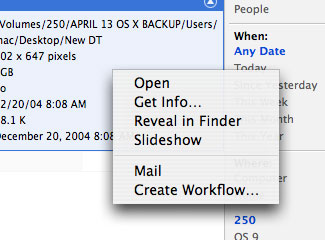
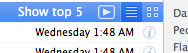 Another feature is for images. The blue title bar for the images grouping has three icons at the right, allowing you to choose how to display the images: as a slideshow, a list, or by thumbnails. Thumbnails are nice, but if you have a lot of images, it takes a while for the Finder to generate them all. The slideshow, however, provides a good way to get a very detailed look.



 Safari, like most readers, will scan the sites you’ve bookmarked at regular intervals you can decide. If you look at the bookmark, it will show you how many new articles there are available for each site (or group of sites you’ve bundled together) by showing a number in parentheses. While this form of notification doesn’t jump out at you like some RSS readers do, it is quite usable. This blog itself has an
 “RSS” tag will appear in the URL (web page address) window, on the far right. Click on the tag and the whole window changes to a list of all the RSS stories available (see illustration below).
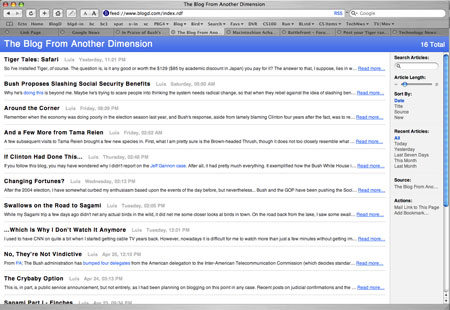
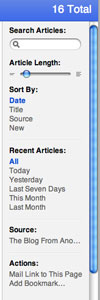 This list can then be searched in a Spotlight-style search bar on the right. This allows you to set keywords, sort, choose articles of various ages, or mail a link to the pages’ RSS feed.
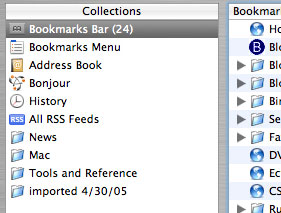 This makes it very manageable. Also, when you decide to bookmark a site, you are allowed to choose where in the bookmarks it will go; while some may see this as an extra step they may not need, most of the time this is exactly what I want to do. In Mozilla, I have to open the bookmark manager, find the bookmark I just made, and then perform a “move bookmark” action; all of this takes far longer than I like. Safari allows you to much more easily handle unwieldily long bookmark lists. One gripe: when I try to move a bookmark folder to a new location between two other folders, it always lands inside one of those folders, and never in between. If there’s a trick to it, I haven’t found it yet.
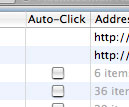 One other feature worth mentioning is the “Auto Click,” or “Open in Tabs” feature. If you’ve collected a number of bookmarks in one bookmark folder (to form a sub-group), you can choose to open them all at once. In the bookmark manager, you can check the “auto-click” box for any desired folder, and it will thereafter happen automatically. Otherwise, just right-click on any bookmark folder in the bookmark bar, and select “open in tabs.” As many pages as you want will then open all at once in a string of new tabs.